


Asus Chromebook CX15 at ₹22,800 – 45% Price Cut Makes It a Must‑Buy
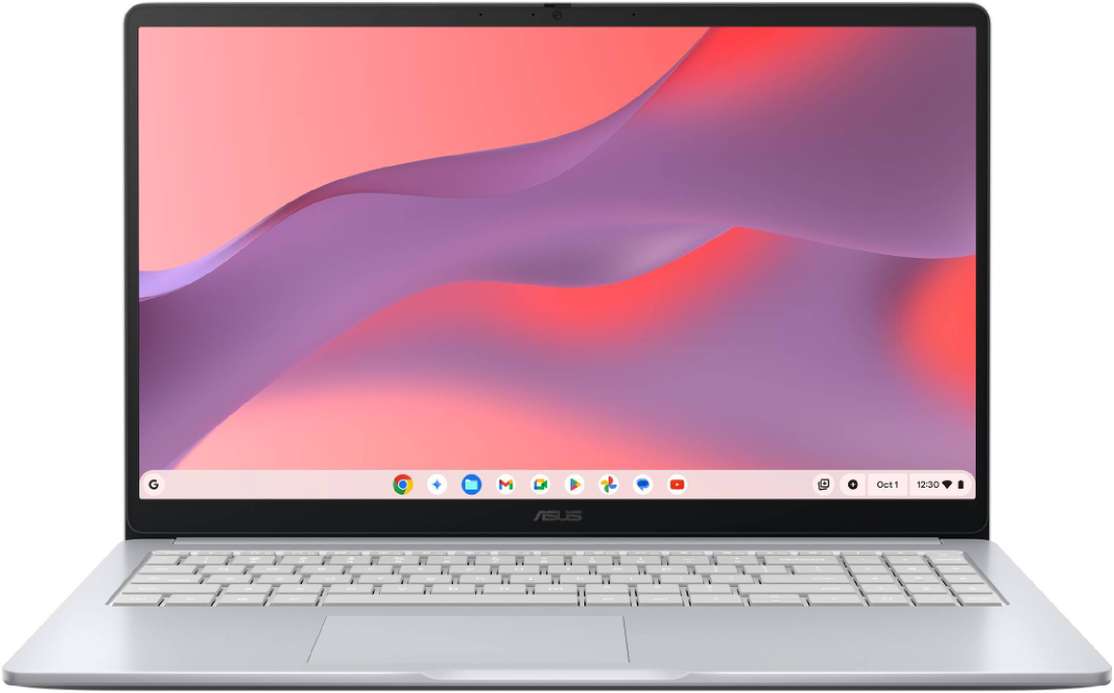
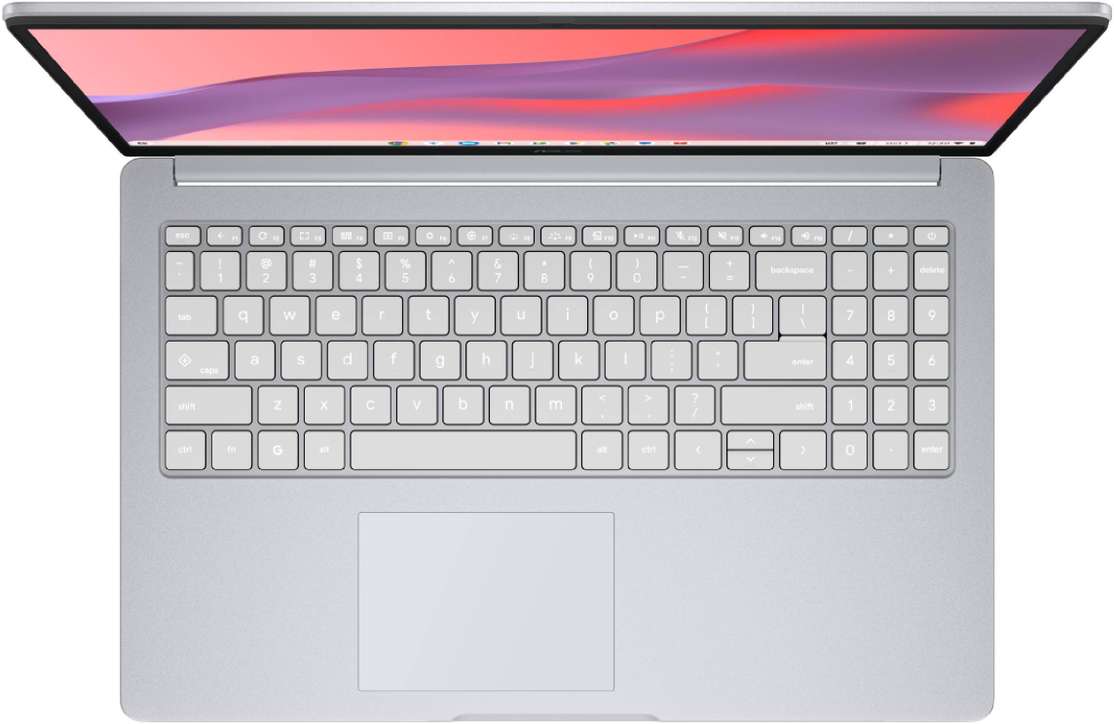
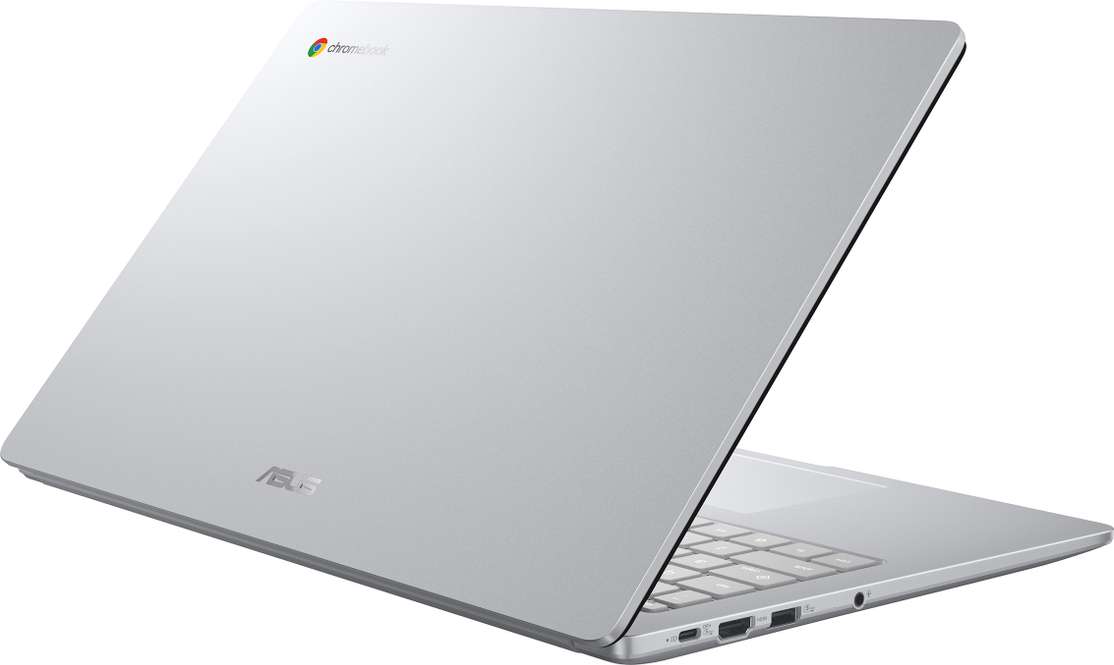
The Asus Chromebook CX15 (Intel Celeron N4500, 8 GB RAM, 128 GB eMMC) has just slashed to ₹22,800 from a MRP of ₹42,000. For anyone hunting a lightweight laptop that can handle everyday tasks, remote classes, and light‑weight productivity without breaking the bank, this price drop is hard to ignore. Below is a deep‑dive into why this particular model stands out in the crowded Chromebook arena and whether the current price truly delivers value.Stand‑out Features & Real‑World Benefits
| Feature | What It Means for You |
| 15.6‑inch Full‑HD anti‑glare display | Crisp 1920 × 1080 resolution lets you read PDFs, stream videos, and edit documents without eye‑strain, even in bright cafés. |
| Intel Celeron N4500 Dual‑Core (1.1‑3.3 GHz) | Sufficient power for web browsing, Google Docs, video calls, and light multitasking—perfect for students and remote workers. |
| 8 GB LPDDR4 RAM | Smooth tab switching and quick app launches; you’ll rarely see the “slow‑down” that plagues cheaper Chromebooks. |
| 128 GB eMMC storage | Store offline files, a handful of Android apps, and a modest media library without constantly relying on the cloud. |
| Lightweight 1.59 kg chassis | Slip it into a backpack or sling bag and carry it all day—ideal for commuters and campus life. |
| Chrome OS with Android app support | Access the full Google ecosystem, plus thousands of Android apps from the Play Store, turning the laptop into a versatile workstation. |
Pros & Cons
| Pros | Cons |
| Best‑in‑class display – anti‑glare FHD | Limited offline software – relies heavily on internet connectivity |
| Generous 8 GB RAM for a Chromebook | No dedicated GPU – not suitable for heavy gaming or video editing |
| Lightweight, portable design | eMMC storage is slower than SSD (but adequate for typical Chrome‑OS tasks) |
| Strong battery life (average 8‑10 hrs) | No USB‑C charging – uses traditional USB‑A power brick |
| Competitive price after 45 % cut | Chrome OS may be unfamiliar to Windows‑only users |
Specification Snapshot
| Specification | Detail |
| Processor | Intel Celeron Dual‑Core N4500 (1.1 GHz base, up to 3.3 GHz burst) |
| RAM | 8 GB LPDDR4 |
| Internal Storage | 128 GB eMMC |
| Display | 15.6‑inch Full‑HD (1920 × 1080) anti‑glare, 45 % NTSC color gamut |
| Operating System | Chrome OS (with Android app support) |
| Weight | 1.59 kg |
| Colour | Pure Grey |
| Connectivity | Wi‑Fi 5, Bluetooth 4.2, 2× USB‑A, HDMI, micro‑SD slot |
| Battery | Approx. 8‑10 hours (typical usage) |
Is the Deal Worth It?
Price‑to‑Performance Ratio
At ₹22,800, the CX15 lands well below the market average for 15‑inch Chromebooks with similar RAM and storage. Competitors like the Acer Chromebook Spin 514 or Lenovo Chromebook Duet series hover around ₹30,000‑₹35,000 for comparable specs, often with slower processors or heavier bodies. The 45 % price cut pushes the CX15 into the lowest price tier for a laptop that still offers a full‑size keyboard, a comfortable typing experience, and a larger display—features that many budget Chromebooks sacrifice.Longevity & Updates
Chromebooks receive automatic OS updates for at least 8 years, meaning the device will stay secure and functional well beyond the typical 2‑year laptop refresh cycle. Combined with 8 GB RAM, the CX15 is likely to feel snappy for at least 4‑5 years for its intended use‑cases.Real‑World Use Cases
- Students: Perfect for attending online classes, drafting essays, and storing lecture notes locally.
- Remote Professionals: Handles Google Workspace, Slack, and light video conferencing without lag.
- Casual Media Consumers: Stream Netflix, YouTube, or Spotify on a bright, anti‑glare screen.
- A student or freelancer who lives in a Wi‑Fi‑rich environment.
- Someone who values portability and a larger screen for multitasking.
- A user who wants a secure, low‑maintenance laptop with automatic updates.
- A gamer or content creator needing a dedicated GPU or SSD performance.
- A professional who relies on Windows‑only software (e.g., Adobe Creative Cloud full suite).
- Someone who prefers a tablet‑style convertible or a device with a touch screen.
If your workflow relies heavily on native Windows applications, high‑end graphics, or large local media libraries, you might outgrow this device sooner. For the majority of web‑centric users, the CX15 delivers exactly what Chrome OS promises.
Who Should Buy & Who Should Skip
Buy if you are:Skip if you are:
How to Secure the Deal
1. Visit the product page on ExampleShop.com.2. Verify the listed price of ₹22,800 (the discount is automatically applied).
3. Click “Add to Cart” and proceed to checkout.
4. Choose your preferred payment method – many banks offer additional cash‑back offers.
5. Complete the order and track the shipment via your account dashboard.
Check Latest Price – Click Here